


SigmaBEND AP utilizes full 3D simulation to maximize the speed, quality, and efficiency of all press brake machine operations.


SigmaBEND AP
Intuitive 3D Press Brake software solution
3D Interface for Better Press Brake Control
SigmaBEND AP utilizes full 3D simulation to maximize the speed, quality, and efficiency of press brake operations. The ability to interactively change programming parameters provides ultimate control. Verifying bending operations offline frees up valuable machine time, improves first-off reliability, and reduces manufacturing costs.
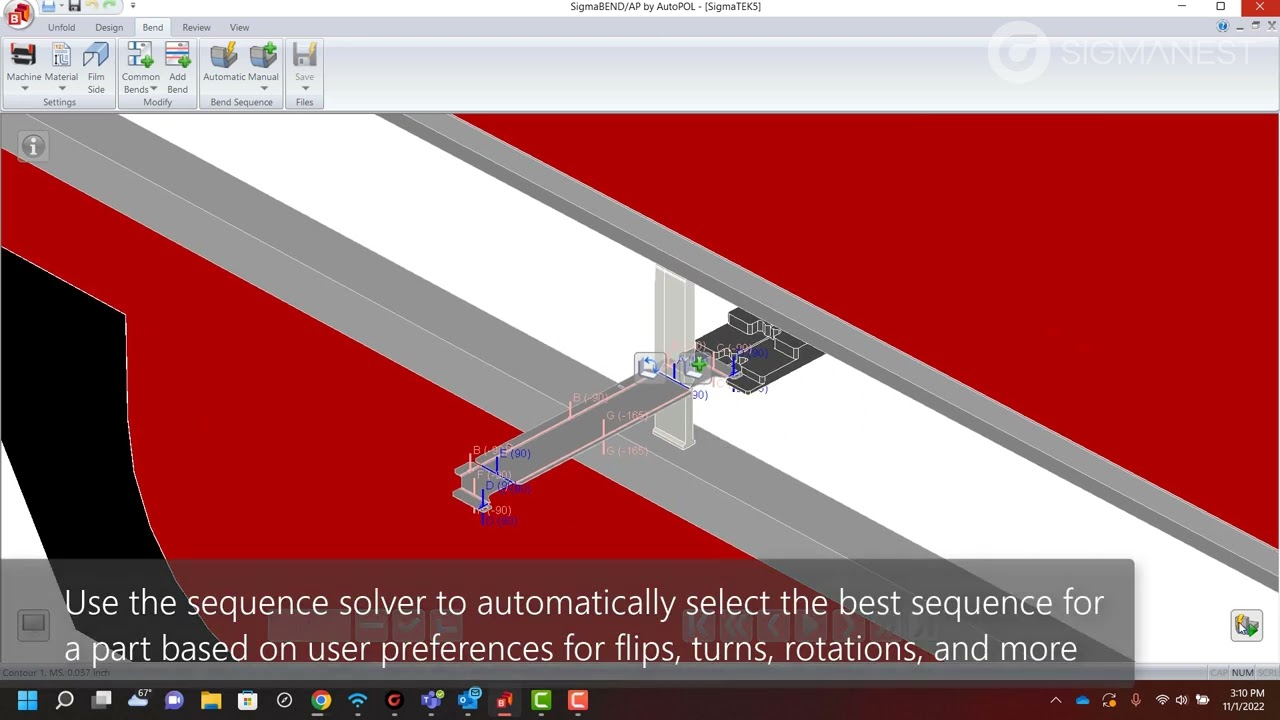
SigmaBEND AP Increases Accuracy, Reduces Scrap
Through detailed bend instructions, even a less experienced operator can confidently bend a part accurately the first time, while being fully aware of the tooling and bend sequence prior to the start of the program—reducing scrap and delivering further efficiencies to the shop floor.
SigmaBEND AP provides an automatic programming solution to reduce the bend bottleneck through increased accuracy, optimization of setup and tooling, and standardized programming and bend sequencing.
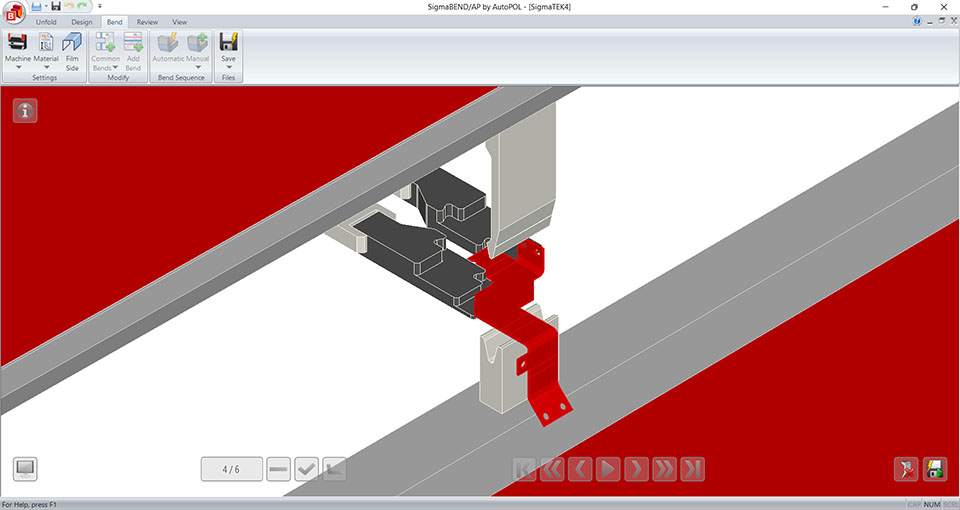
SigmaBEND AP Comprehensive Tooling
- SigmaBEND AP includes ready-to-use industry-standard tooling libraries
- Gets the job done with support for special tools for hemming and extensions
- Quickly add new custom tool profiles with DXFs or parametric shapes
- Customize favorite tool preferences to meet the needs of the job
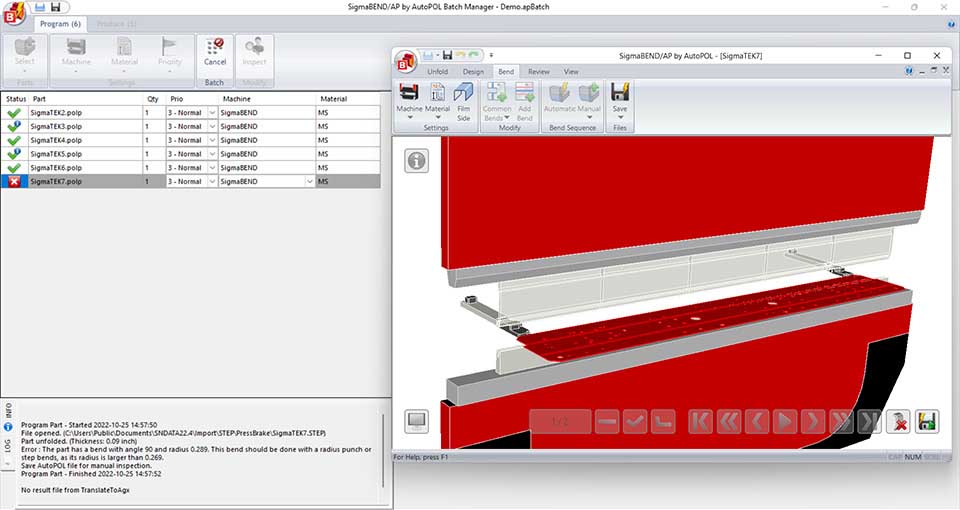
Accurate Programming
- SigmaBEND AP reduces clicks which improves profitability by shrinking programming time
- Fast, automatic sequencing and tool selection creates optimized and reliable sequences
- Eliminate costly programming errors and material waste with collision analysis
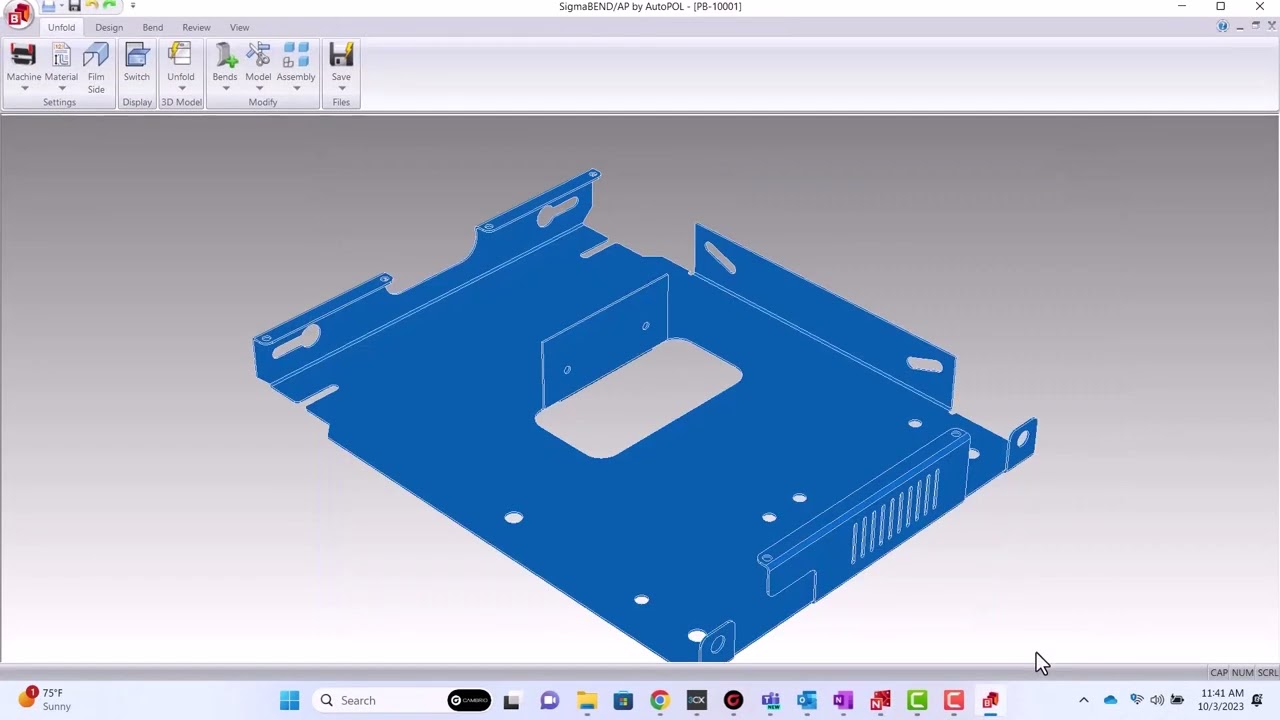
SigmaBEND AP is Focused on Automation
- Create updated flat patterns based on tooling selection to ensure more accurate finished parts
- SigmaBEND AP integrates directly with SigmaNEST to create a seamless workflow for bend programming to flat pattern cutting
- Bend program details can be mapped to SigmaNEST part data fields for improved quoting and bend information visibility
SigmaBEND AP Packages
 = Yes Supported,
  = Not Supported
| SigmaBEND AP BendSim | SigmaBEND AP BendSim Pro | |||
|---|---|---|---|---|
| Import | ||||
| 2D Import
Import 2D DXF files to create 3D models using an interactive import tool |
DXF Only | DXF,DWG | ||
| 3D Import
Import from a wide variety of 3D file formats including STEP, ACIS, SolidWorks, Inventor, SolidEdge, NX, Creo, Catia, IGES, JT |
STEP,ACIS | All Formats | ||
| CAD Properties
Detect CAD Properties during import to assign material automatically or filter assemblies based on file properites |
|
|
||
| Assemblies
Import and break down assembly files using an interactive assembly processing tool |
|
|
||
| Export | ||||
| 2D CAD
Export Flat pattern geometry to for use in SigmaNEST for cutting accurately sized blanks |
DXF Only | DXF,DWG | ||
| 3D CAD
Export update flat and folded geometry for a 3D CAD representation of the finished part as STEP or ACIS format |
|
|
||
| General | ||||
| Industry 4.0 Data Sharing
Export additional part property information to an Industry 4.0 Data sharing XML for use in down stream operations or ERP integration |
|
|
||
| Custom Properties
Populate custom property data on SigmaBEND model files to share using various export formats |
|
|
||
| Dimensioning
Use dimensioning tools to measure distances on the 3D model |
|
|
||
| Barcodes
Add customized barcodes to process documentation outputs to quickly link to posted NC programs |
|
|
||
| Machines | ||||
| Machine Setup
Configure multiple press brake machines to use specific tooling libraries, controller post processors and customize ram and back-gauge movements |
Up to 2 Machines | Unlimited | ||
| Post Processors
Choose from a wide variety of preconfigured machines and post processors |
1 | All Supported | ||
| Advanced Machine Options
Configure angle measurement tools, front gauge supports, and heming tables for applicable machines |
|
|
||
| Shared Settings
Share machine setups and settings via a network locaiton to ensure all workstations are in sync |
|
|
||
| Unfolding | ||||
| Step Bends
Customize the unfold of large radius bends to create smaller individual steps in the unfolding and bending. Automated tools available in the Pro version |
|
|
||
| Film Side
Specify film location on the 3D model to help indentify the part as it is flipped and rotated during programming. Automated tools available in the Pro version |
|
|
||
| Assembly Processing
Unfold individual parts within an assembly file through an interactive processing tool. Automated tools are available in the Pro version |
|
|
||
| Bending | ||||
| Pre-Bends
Add pre-bends to existing bends to help prevent collisons during the part bending |
|
|
||
| Reverse Bends
Add bends to parts which are then reversed using a second unbending process to help prevent collisons during the part bending. |
|
|
||
| Passive Bends
Assign bends as passive to let the software know they are already formed or to ignore them when programming. |
|
|
||
| Add Bend
Add new bends to existing parts which were not present on the original models. |
|
|
||
| Time Estimates
Customize setup and cycle time estimates for the bending process based on part sizes, weights, and other bending process details. |
|
|
||
| Collision Detection
Collisions with the various elements of the machine and tooling are highlighted during the simulation to help reduce programming errors. |
|
|
||
| Tool Libraries
Customize tool libraries with specific tooling profiles, segement lengths, and quantities to ensure accurate station setups. |
|
|
||
| Add-ons | ||||
| Designer
Enhance your SigmaBEND AP package with the ability to create simple 3D sheet metal models and pipe sections from parametric shapes |
|
|
||
| Batch and Remote
Automate your bend programming even further with unattended processing of parts and assemblies and sequence your programs to reduce tool changes |
|
|
||
| Network License Upgrade
Upgrade the license to support network sharing |
|
|
||